|
Our browser-based desktop enables design, development
and maintenance of a voice application to be carried
out on any PC in the company.
VoiceObjects Desktop for
Designers and Developers
Designers and developers of voice-controlled applications
now have at their disposal a solution that is as simple
as it is comfortable. Central workflow management
contributes to both cost reduction and increased efficiency
while integrated lifecycle management means
that dialogs and processes that have already been tested
and deployed can be reused over and over again.
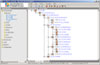
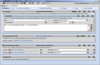
Using the dialog designer, designers
and developers can create and link VoiceObjects®
by simply filling out forms (for example menu object,
sequence object, etc.). No special programming or VoiceXML
knowledge is required. VoiceObjects are simply filled
up with content using an editor.The expertise of our
VUI designers is now just clicks away. Using our object-oriented
development approach your applications will inherit
best practice in VUI design from our objects and modules.
VoiceObjects Desktop for
Administrators
The control center integrated into the desktop enables
continuous, central monitoring of the applications and
dialog processes. These can be altered, updated and
maintained at runtime without downtime. The control
center monitors and analyzes all relevant elements
of the VoiceObjects Server as well as the hardware,
network components, I/O, CPUs, etc. To make the administration
of major installations, with a correspondingly large
number of ports easier, the control center also supports
server clusters. Thus the applications need only be
activated to one central point. The control center takes
charge of central distribution. In addition, with our
graphical tracing and debugging tool, problems can be
quickly analyzed and remedied.
The dialog analyzer provides a special
function for graphical analysis of the utilization and
acceptance of voice applications. Information is provided
for dialog adjustment (for example, to improve task
completion, correct dialog errors) and also for the
optimization of marketing applications (for example,
dialog utilization, and “Voice Stream Analysis”).
|


 A
great voice user interface (VUI) is the key to a popular
and user-friendly application. VoiceObjects Desktop
puts the expertise of our team of world-class designers
at the fingertips of any developer. Our entire architecture
is completely browser-based with the look and feel of
a client/server application. So both the dialog designer
and the systems administrator will benefit from the
simplicity and ease-of-use provided.